Ethernet device for two PunchLight external lights and one Studio Display. Allows automatic switching on/off from your DAW
The PunchLight DLi-LAN is a network MIDI device that connects PunchLight lighting units and studio displays via a local area network (LAN). This device controls the studio warning lights from your host audio application (DAW) and displays information such as timecode, bars/beats, time, etc., on PunchLight Studio Displays.
Professional audio applications such as Pro Tools, Cubase, Logic, Studio One, Reaper, etc., are compatible with DLi-LAN.
You can easily use existing cabling, and there is no need to run new cables from the DAW; just use the existing ones.
Connection
Connection via local network (RTP MIDI/Apple MIDI)
Setup using the PunchLight utility
Allows changing the unit’s network name
Automatic connection recovery to DAW
Powered by a 12V power supply
2x output for PunchLight Light Units
1x output for PunchLight Studio Display XT2/SD2
Easy installation
Use of existing network – no need to install new long cables
Easy connection thanks to a standardized cabling system with crimped connectors
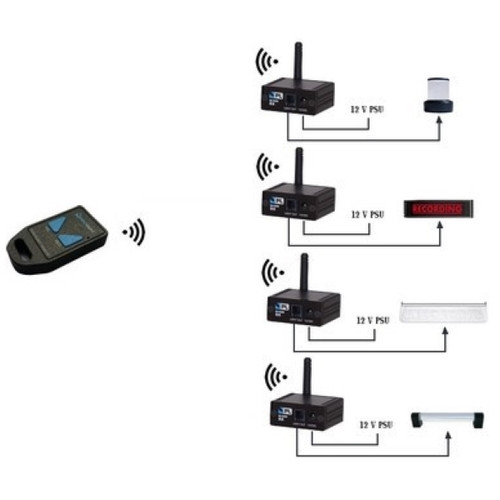
Option to add other devices for wireless solutions, or switch on/off via relays
Easy connection to your host DAW
Easy setup using PunchLight Utility
Wide software support
Wide host application support
Switch between different application modes: Mackie HUI / Mackie Control / Recording Light (Logic)
Compatibility with Avid Pro Tools (default setup)
Compatibility with most audio applications:
Steinberg Cubase / Nuendo, FL Studio, Reaper, Studio One, Logic, and many more…
Configuration Utility
Easy setup of external lights
Setup for Studio Display XT2/SD2
Mac or PC version
Overview of all unit functions
Features
Connects directly to an Ethernet port
Automatically indicates recording (red) and record ready/preroll status
Switcher and power supply unit for two external 12V warning lights
One output for one PunchLight Studio Display
MAC or PC compatible
LED indication of status on the front panel
Size – 108 x 55 x 23mm (w x h x d)
Weight: 82g
Package dimensions: 180 x 120 x 70mm
Package weight: 290g
12V power supply included